
HubX · powered by MSP Hub
The portal for what customers own, buy and owe.
Customer products, catalog purchasing, quotations, renewals, invoices, billing reconciliation, dashboards, scheduled reports and Service Desk, in one place. Every screen on these pages is the product as it ships, with demo data.
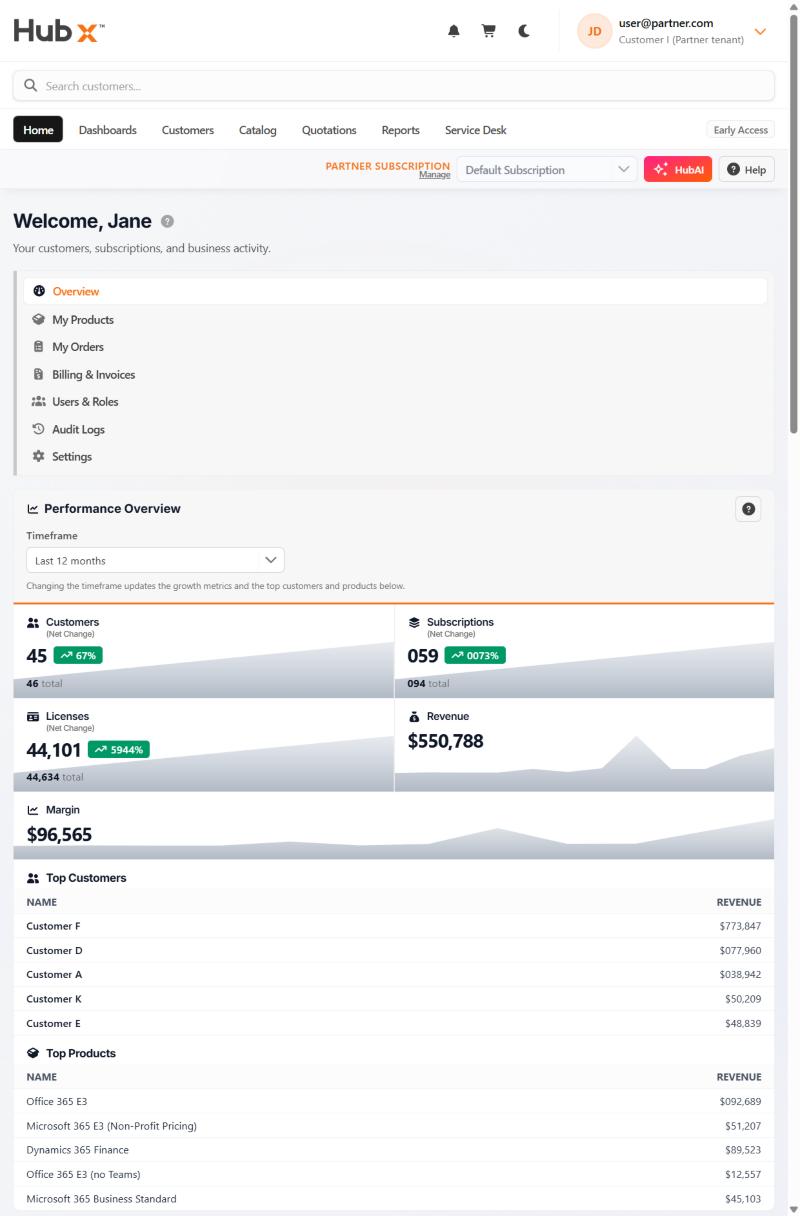
Eight areas
What HubX covers.
Home & performance
Performance, forecast, orders and what is about to expire.
Customers
Every tenant with revenue, margin, GDAP and transfers.
Catalog
Filtered to what each customer may buy.
Quotations
Quote, approve, convert to an order.
Billing & invoices
Margin per customer, and invoices under your brand.
Dashboards & reports
Dashboards per book; eleven reports by email.
Service Desk
Tickets with priority and SLA state.
HubAI
Read-only answers from the selected billing subscription.
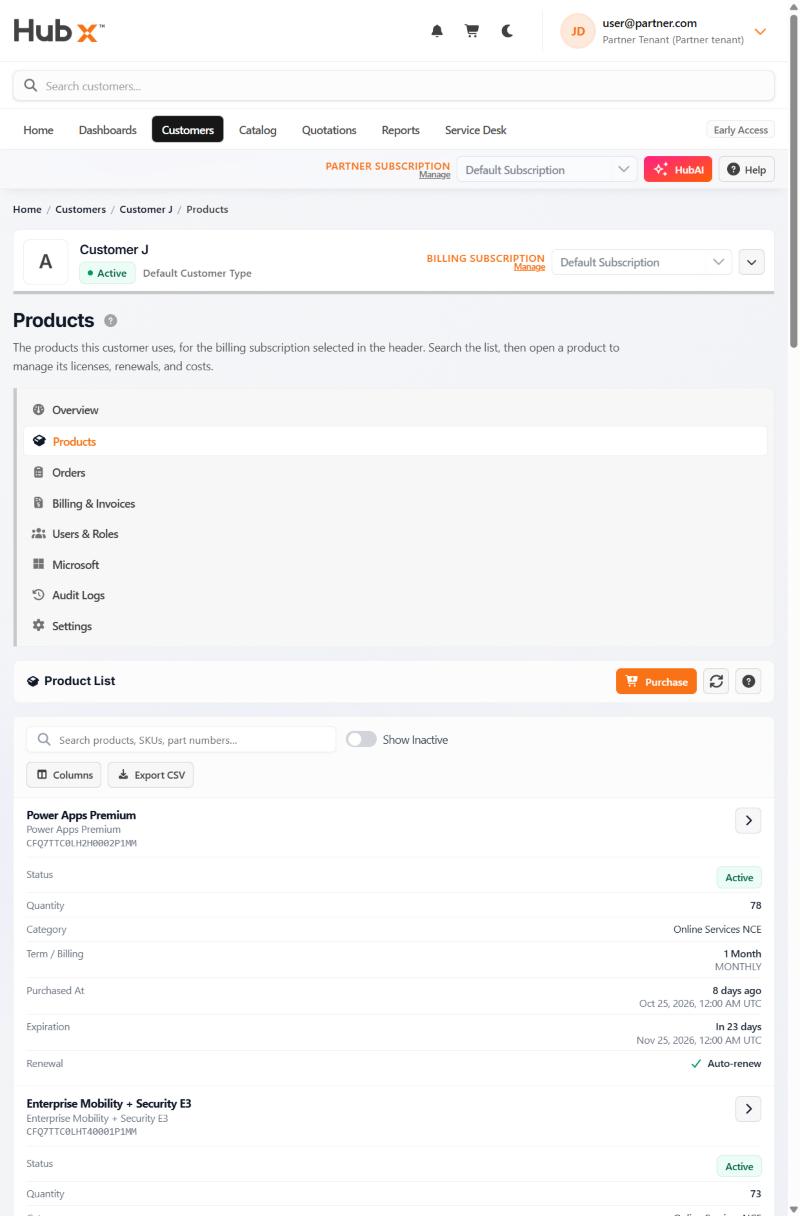
Customer products
Each subscription's dates, not just its price.
Quantity, term, billing frequency, purchase date, expiration and auto-renew, per SKU and per customer.
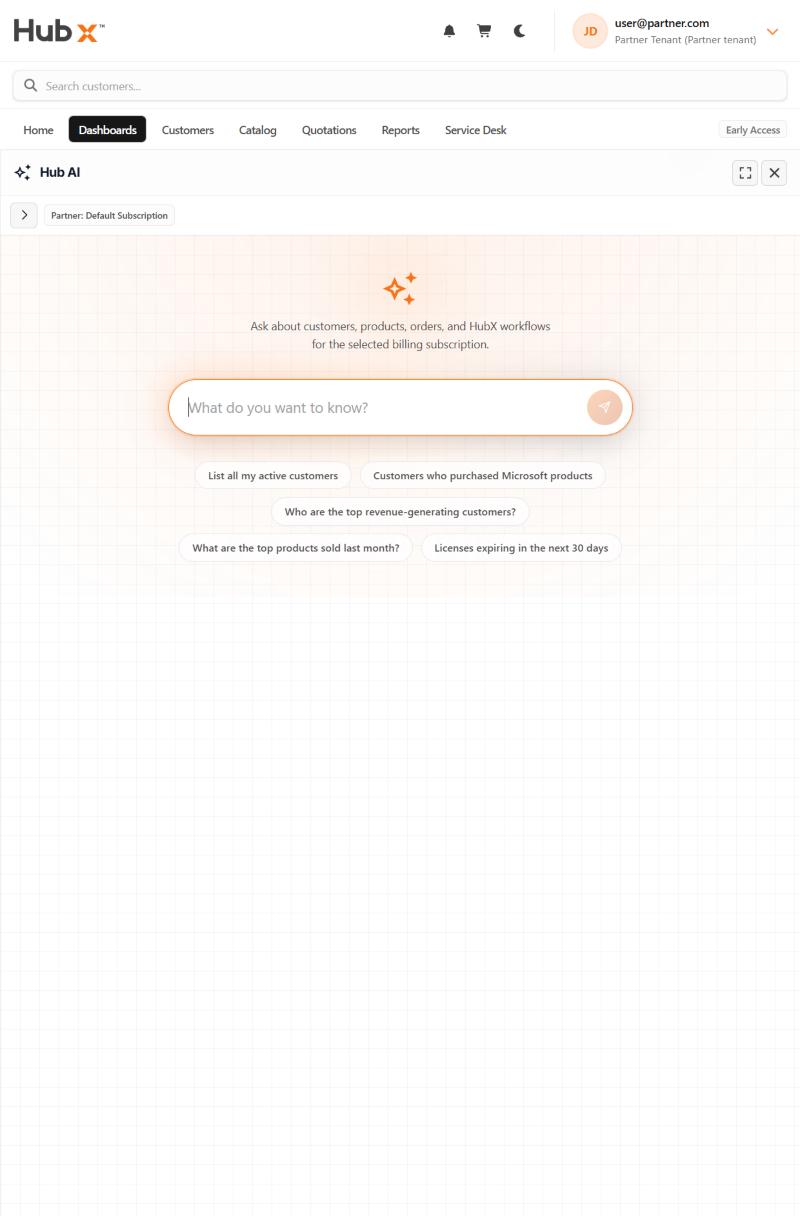
HubAI
Questions answered from one billing subscription.
HubAI answers questions about customers, products and orders from the billing subscription selected in the header.
HubAI is read-only. It cannot place orders or change anything.
Who uses it
One portal, used three ways.
Businesses
See your own subscriptions, renewals and invoices.
MSPs & VARs
Run every customer tenant, with margin per customer.
Direct-bill CSPs
Use HubX on your own Partner Center tenant.
Next step
See HubX with your own scenario.
Request a demo. The team replies by email to arrange a time; nothing is booked until you agree one.