
HubX · Billing & invoices
Margin on every invoice.
Statements show, per customer billing subscription, the partner amount, the customer amount and gross margin, plus what changed since the previous period. For resellers, HubX also generates the customer-facing invoices under your brand.
Actual HubX UIDemo data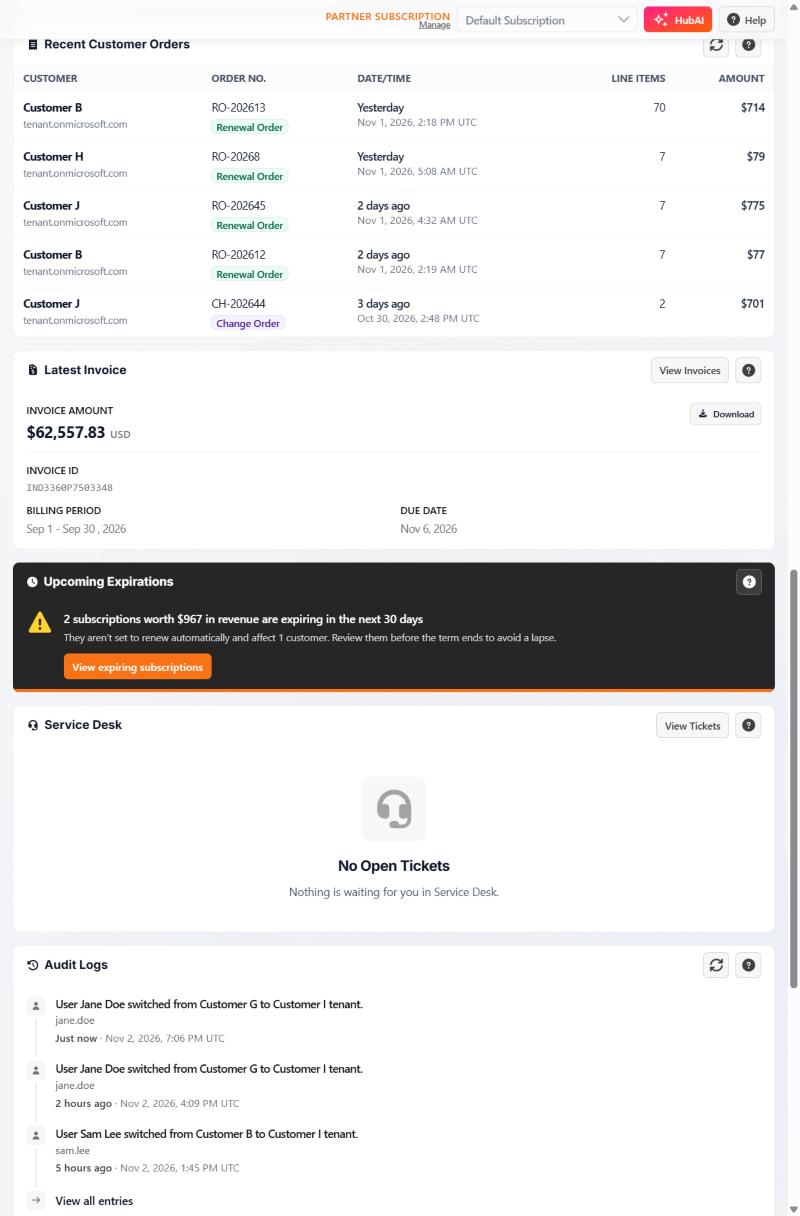
What the screen shows.
The capture above is the home page's latest-invoice widget. The full invoice statement screen is not pictured on this site yet; ask to see it in a demo.
In billing
What partners use it for.
Statements
Partner amount, customer amount, gross margin and sales tax per customer billing subscription.
Changes since last period
What moved between one statement and the next.
Customer invoices
Generated with separate numbering and your own wire, ACH or check details.
How MSP Hub bills
Standard billing, unless your agreement says otherwise.
- Cycle
- Calendar month, billed one month in advance
- Mid-month changes
- Prorated at a daily rate
- Where you see it
- Invoices and statements in HubX, with PDF download
Next step
See it with your own scenario.
Request a demo. The team replies by email to arrange a time.