
Managed Services · Operations
Run the environment once it is live.
Monitoring, alerting and incident management around the clock for the Microsoft 365, Azure and database environments MSP Hub manages under agreement, with every ticket visible in HubX.
At a glance
- Covers
- Environments under a Managed Services agreement
- Monitoring
- 24/7, with incident management
- Tickets
- HubX Service Desk, priority and SLA state
- Licensing questions
- Business hours, separate cover
Scope
What MSP Hub runs for you.
24/7 monitoring and incident management
Around-the-clock monitoring, alerting and incident management for the Microsoft 365 and Azure environments under the agreement.
Microsoft 365 and the modern desktop
Security and compliance operations, hybrid Exchange and device management, administered for you.
Database managed service
Backups, patching, performance tuning and availability for SQL and cloud database platforms.
Azure cost reviews
Ongoing right-sizing of subscriptions, reservations and savings plans on estates MSP Hub manages.
How it runs
Monitor, respond, report, adjust.
- 1
Monitor
Around-the-clock monitoring of the managed environments.
- 2
Respond
Engineers own the incident. Tickets carry priority and SLA state in the HubX Service Desk, visible to the customer and, where there is one, the partner.
- 3
Report
Reporting on the managed environment, agreed when the service starts.
- 4
Adjust
Right-sizing and configuration changes as the estate changes.
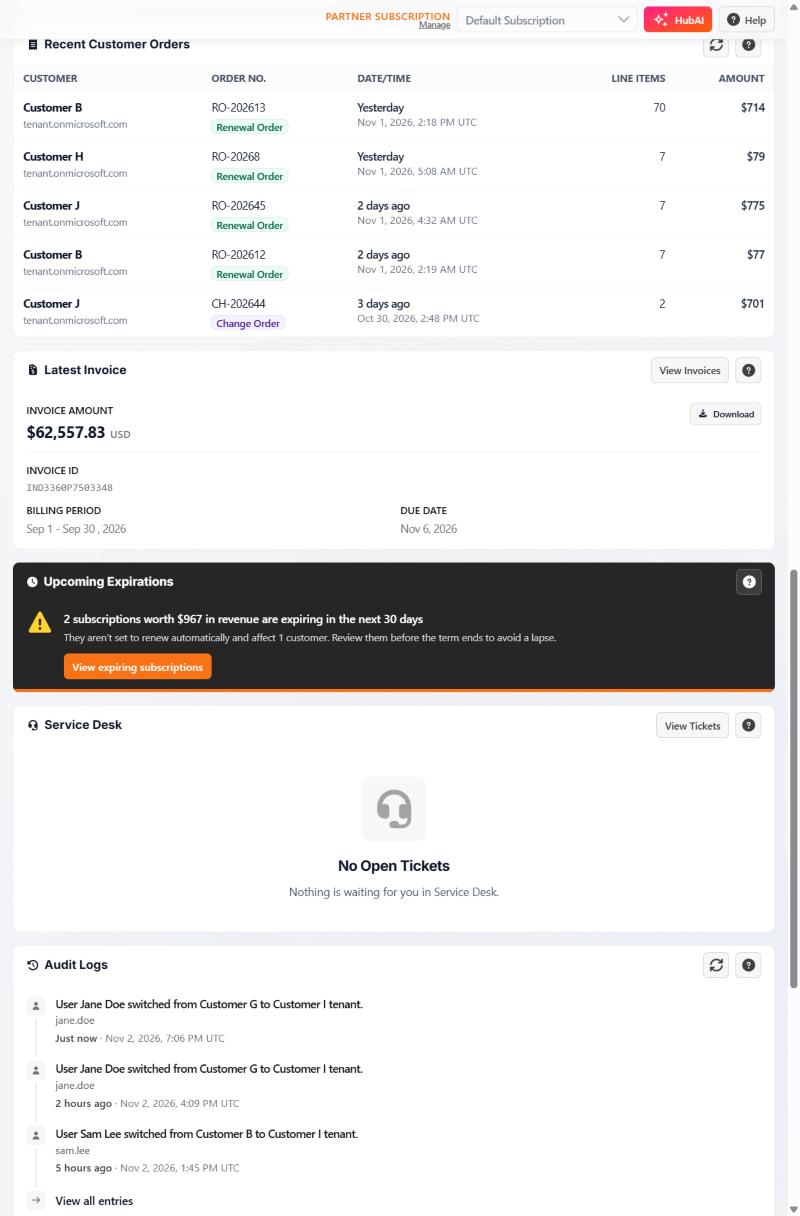
Where tickets live
The Service Desk is part of HubX.
Customers see open tickets on the HubX home page, beside the latest invoice and upcoming expirations. The capture shows the demo environment with no open tickets.
This capture shows the home-page Service Desk panel only; the full ticket view is not pictured.
What 24/7 covers.
24/7 applies to monitoring and incident management for environments under a Managed Services agreement. Licensing, orders and invoices are handled during business hours. Response targets are set in each agreement, not on this page.
Next step
Tell us what you would hand over.
The environment, its size and what is monitored today. The services team replies by email.