
For businesses
Your Microsoft licensing, and the people who run it.
You buy directly from MSP Hub and see every subscription, renewal and invoice in HubX. When a migration, a security project or ongoing monitoring is needed, it comes from the same company.
At a glance
- You buy from
- MSP Hub
- You manage it in
- HubX
- Invoices from
- MSP Hub
- Projects and operations
- MSP Hub's three practices
What you get
One company for the licence and the work around it.
01
Licensing you can see
Subscriptions, terms, renewal dates and auto-renew settings per SKU, in HubX.
02
Projects when you need them
Migrations, security and identity, Azure and data projects, scoped in a statement of work.
03
Operations after go-live
24/7 monitoring and incident management for environments under a Managed Services agreement.
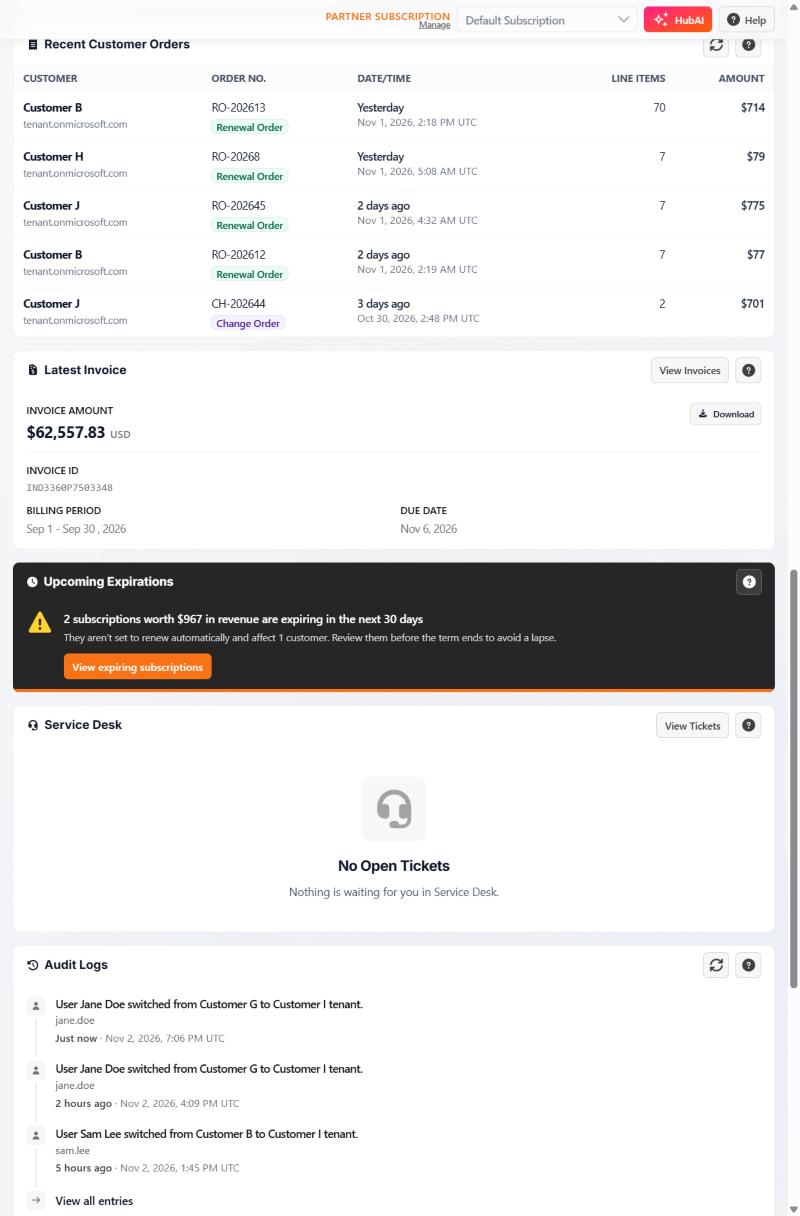
In HubX
The invoice, the expirations and the tickets on one screen.
The HubX home page shows the latest invoice and its due date, subscriptions that expire without auto-renew, open Service Desk tickets and recent account activity.
Questions
Before you ask for a quote.
We already buy Microsoft from someone else. Do we have to start over?
Not for eligible CSP subscriptions. Partner-to-partner transfers move billing ownership while preserving the remaining term and renewal date. Enterprise Agreement and Microsoft-direct purchases follow their own transition process.
Who do we call with a licensing question?
MSP Hub's licensing desk, during business hours. 24/7 cover applies only to monitoring and incident management for environments under a Managed Services agreement.
Can we see what we pay for before we renew?
Yes. HubX shows each subscription's term, expiration date and auto-renew setting, and flags upcoming expirations on the home page.
Next step
Start with a quote.
Tell the licensing desk what you use today and what you need. You will hear back by email.